
Know What Your Content Is Worth.
ROAS tells you how media performed. It says nothing about the shoot behind it. ROPS™ and ROCS™ put production on the same page as ad spend, so every campaign shows what the content actually earned.
- ROPS™Return on Production SpendTracked revenueProduction spend
What the production itself earned, across every campaign that pulled from it, for as long as it keeps working.
- ROCS™Return on Campaign SpendTracked revenueProduction spendAd spend
The true return on the whole campaign: production and media together, against the revenue they produced.
ROAS Leaves the Shoot Out of the Math.
Media gets measured to the dollar. The production that made the ad gets a line on an invoice. Two numbers close the gap.
- ROASRevenue ÷ ad spend
- Ad spend
- Production
How efficiently the media converted. Production isn’t in it, so a $100K shoot and a $5K shoot look exactly the same.
- ROCS™Revenue ÷ production + ad spend
- Ad spend
- Production
What the campaign cost all in, and what it returned. The number that holds up when finance asks why.
- ROPS™Revenue ÷ production spend
- Ad spend
- Production
What one day on set earned, counted across every ad, cutdown, and campaign that came from it, this quarter and the next.
For every $1 you put into production over the last 12 months, how much tracked revenue came out?
Five Things You Can’t See in Standard Performance Reports.
Which shoots paid for themselves
And which didn’t, so the next production is scoped on evidence, not instinct.
Who actually moved revenue
Which studios, in-house teams, filmmakers, and creators produced the content that sold.
Which budgets compounded
The productions that kept earning for years, versus the ones that evaporated in weeks.
How to defend the budget
A $40K shoot still generating ad variations three years later is an answer finance understands.
What to greenlight next
Whether to run the next $40K shoot, double it, or rework what’s already in your library.
Measured Where the Work Happens: the Birdline App.
The brief supplies the cost. The ads you connect supply the revenue. Nothing is re-keyed into a spreadsheet, so the number is there on every campaign, every day.
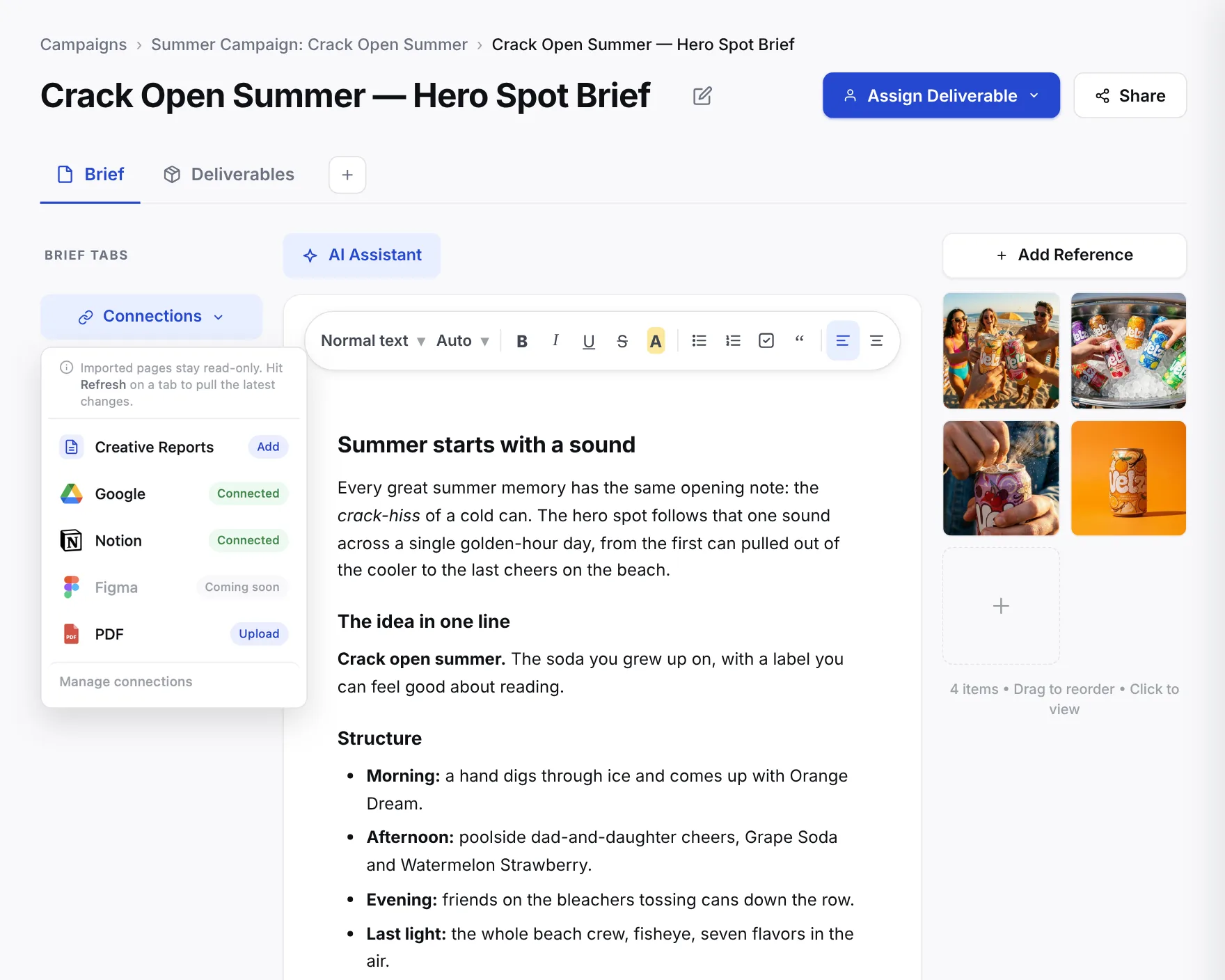
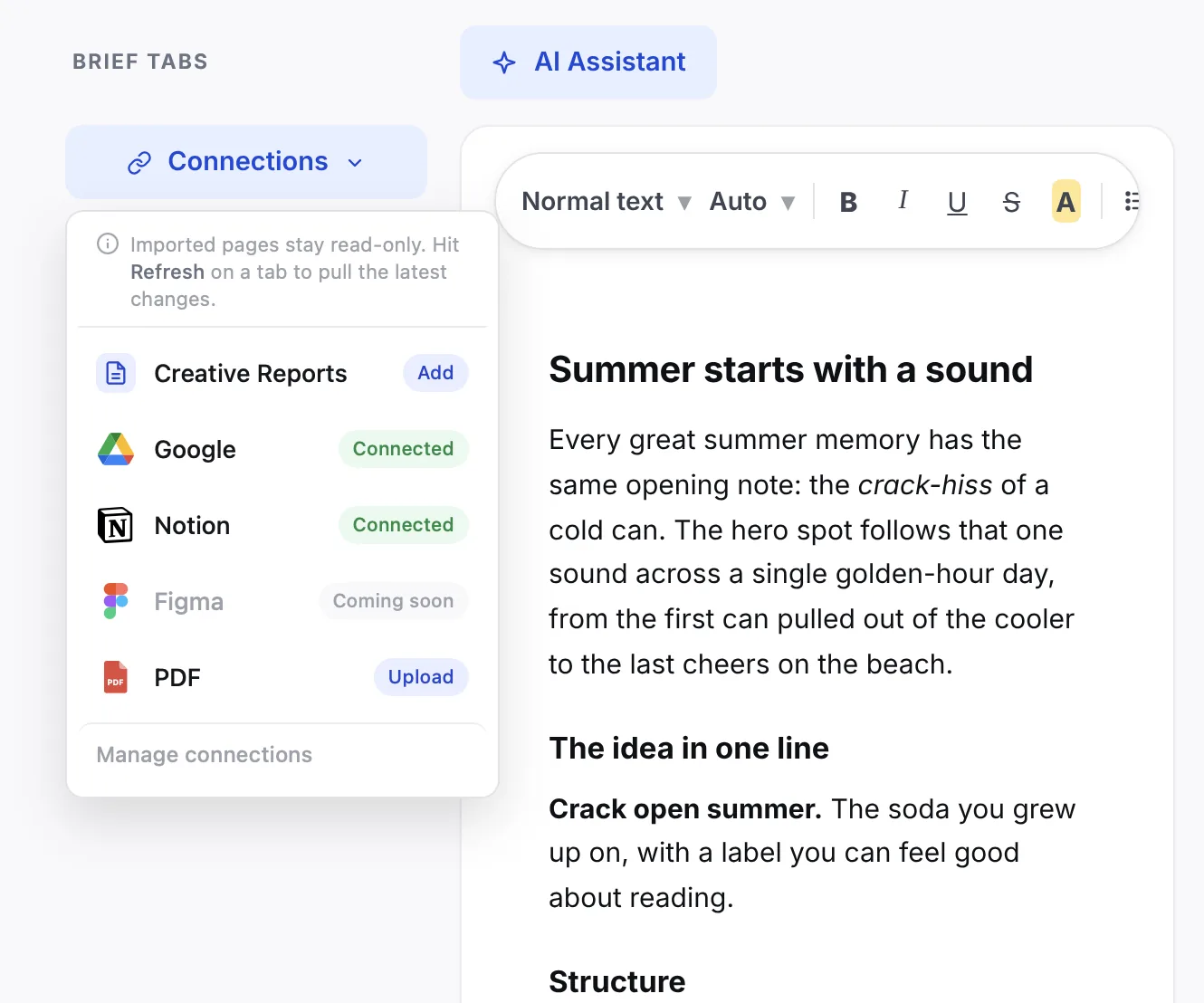
Budget the brief
Every brief carries a line-item budget: pre-production, production, and post, totaled per brief. That total is the production spend behind ROPS™, entered once, where the work is planned.
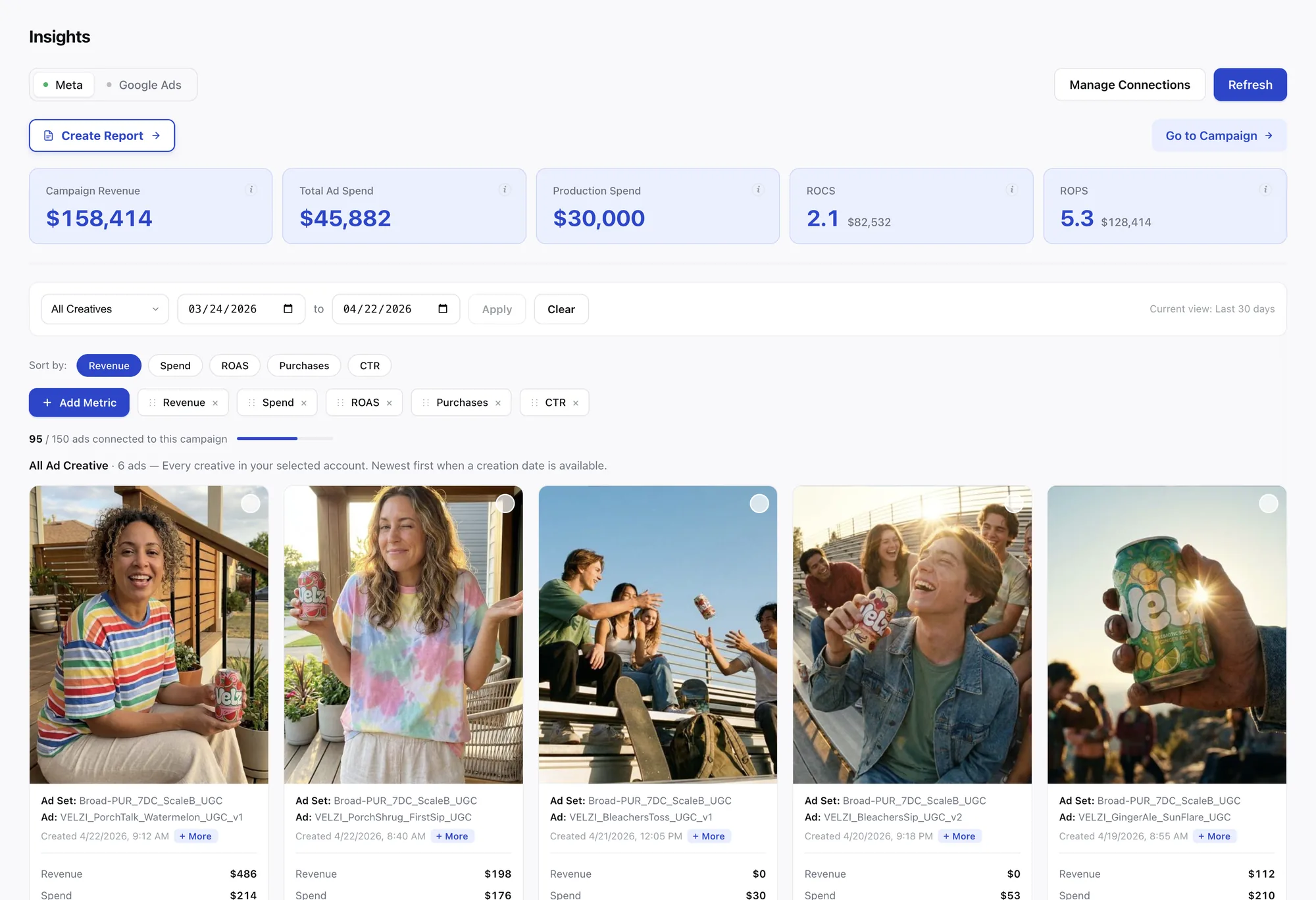
Connect the ads
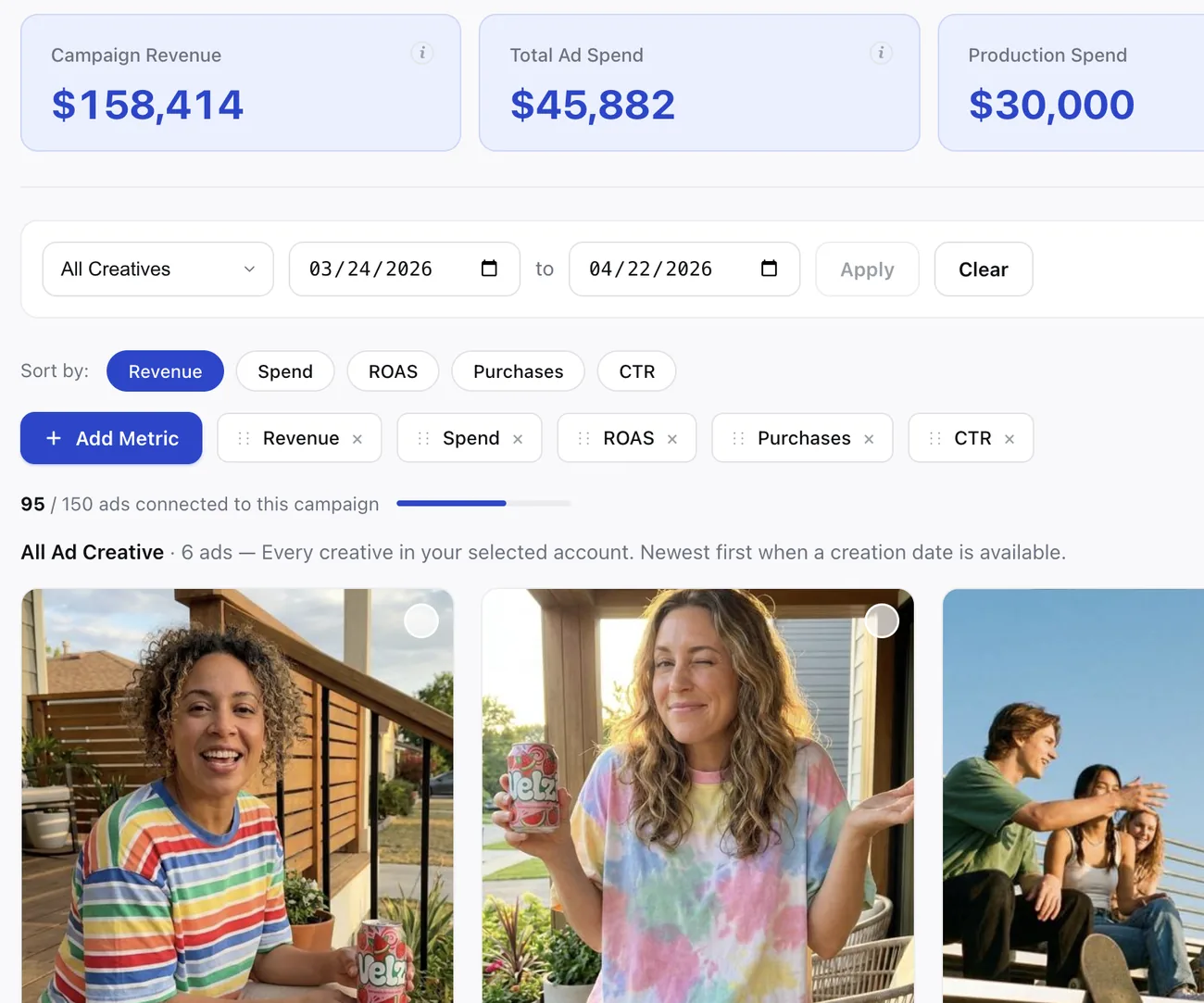
Connect Meta in Insights and assign each ad to the campaign it came from. The ads supply the revenue and the ad spend; the brief supplies the cost. Nothing is re-keyed.
Read the return, then brief the next one
ROPS™ and ROCS™ sit beside campaign revenue, ad spend, and production spend on every campaign. A Creative Report sums up what worked, and Generate New Brief seeds the next one from its recommendations.
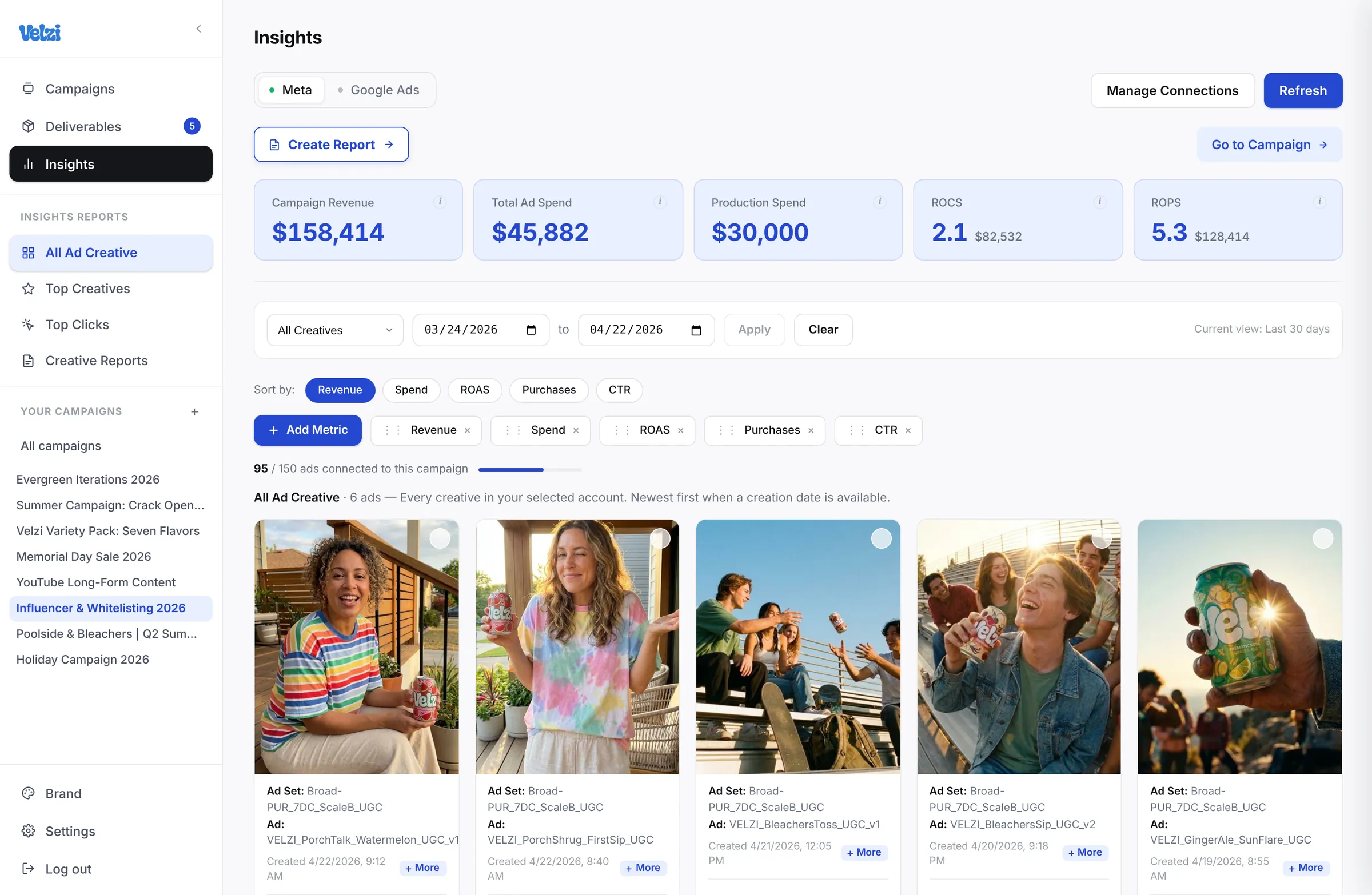
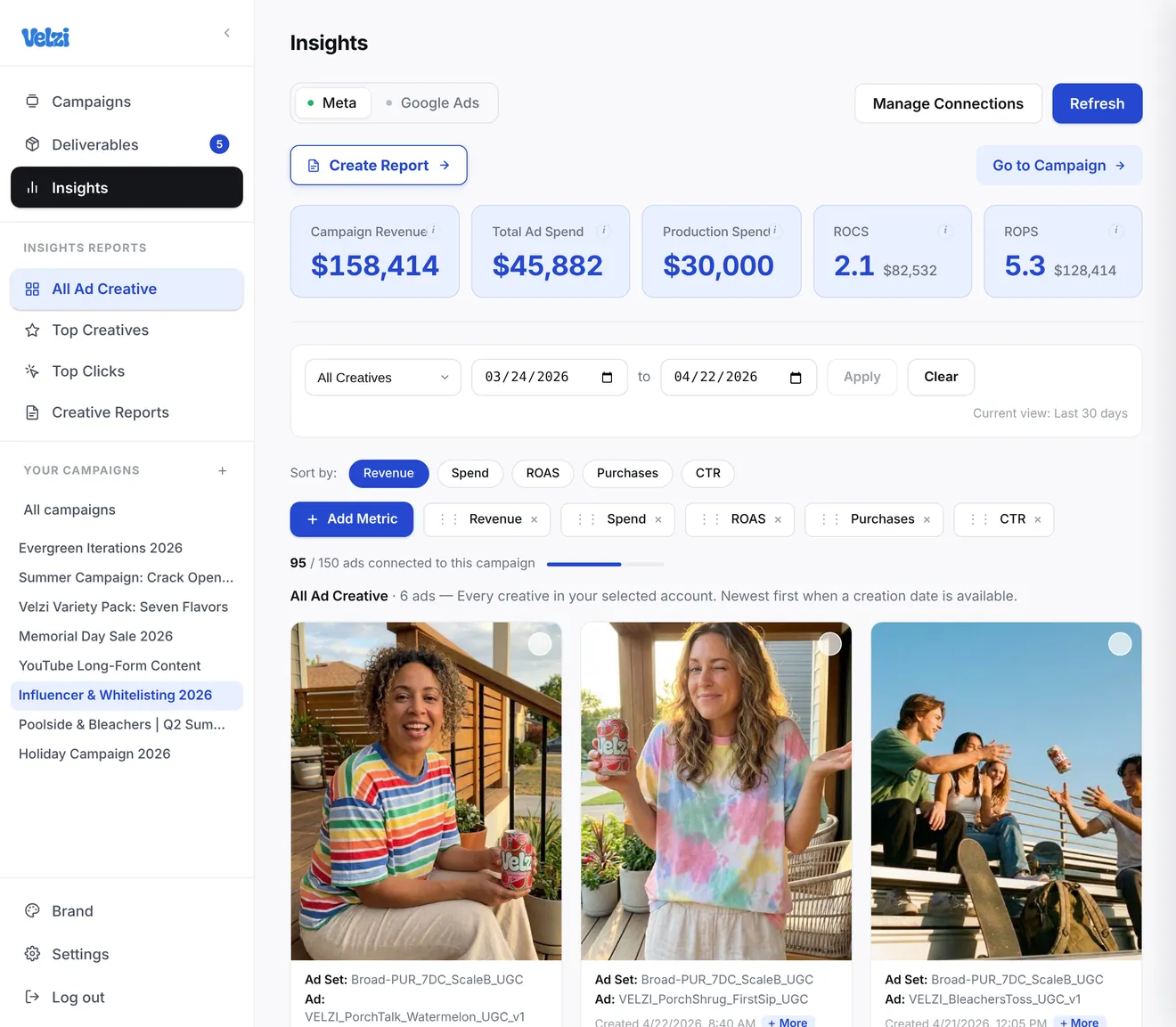
Product screens show sample data from a demo workspace.
Find Your ROPS™ & ROCS™ Below.
You can do this today with a calculator and last year’s campaigns. The app does it for every campaign, automatically.
- 01
Pick one shoot
From the last 18 months.
- 02
List what came from it
Every campaign, ad, or piece of content that pulled from that footage.
- 03
Add up the tracked revenue
Across all of them, not just the launch.
- 04
Divide by the production cost
That’s the shoot’s ROPS™. Do it for three shoots and the pattern that’s been hiding under your campaigns shows up.
Questions About ROPS™ and ROCS™.
Is ROPS™ just another name for ROAS?
What counts as tracked revenue?
Where does the production cost come from?
Do we need the Monthly Partnership to measure it?
What if a campaign pulls from several shoots?
Build Winning Campaigns with a Bird’s-Eye View
Bring the campaign you’re working on now. Start free for 30 days, no credit card required.