
Birdline
Birdline App

The Production Workspace for In‑House Content Teams

Birdline is where briefs, deliverables, and performance insights live as one connected campaign—so in-house content teams produce more and prove more.

Start free for 30 days. No credit card required.
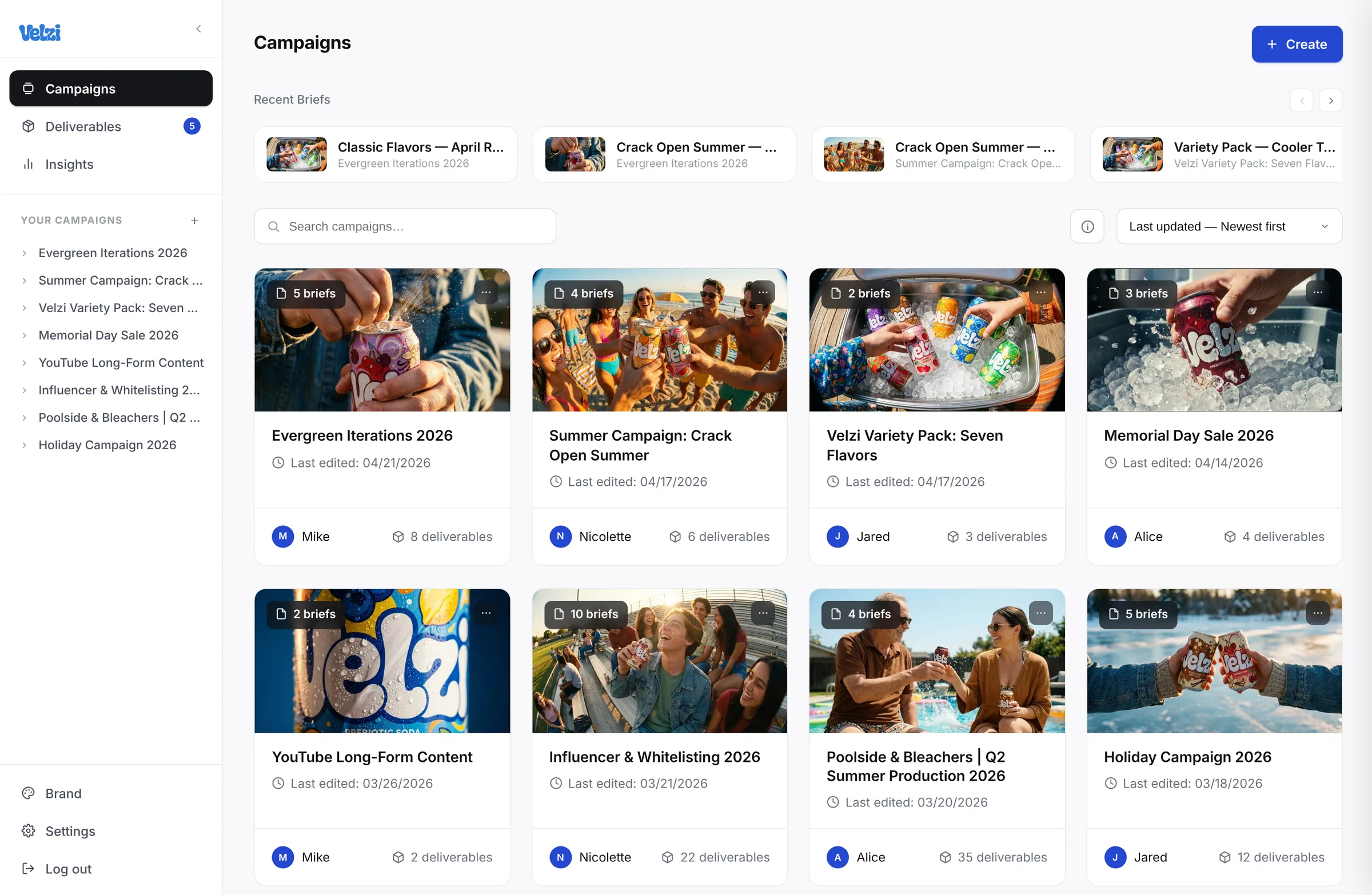
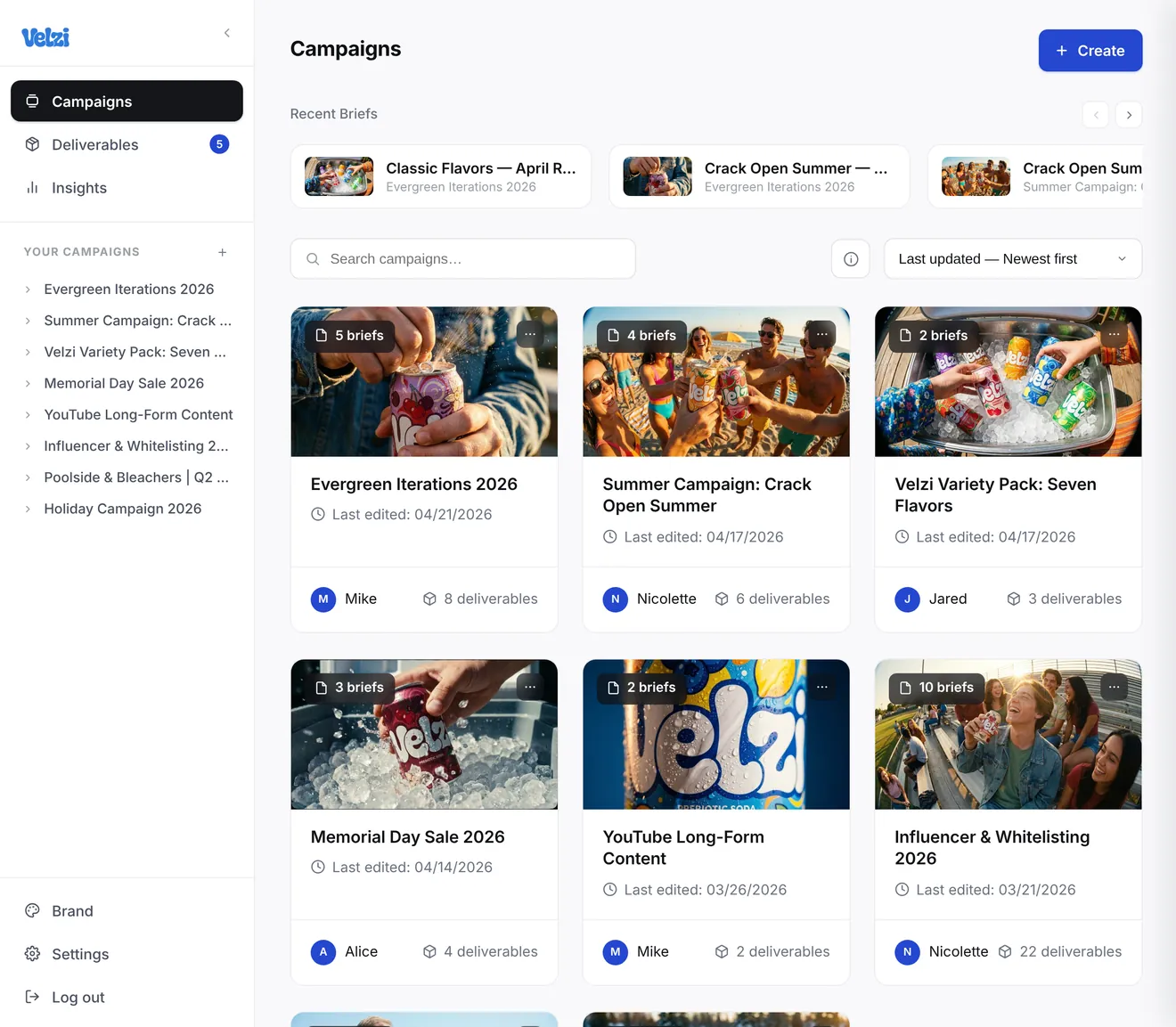
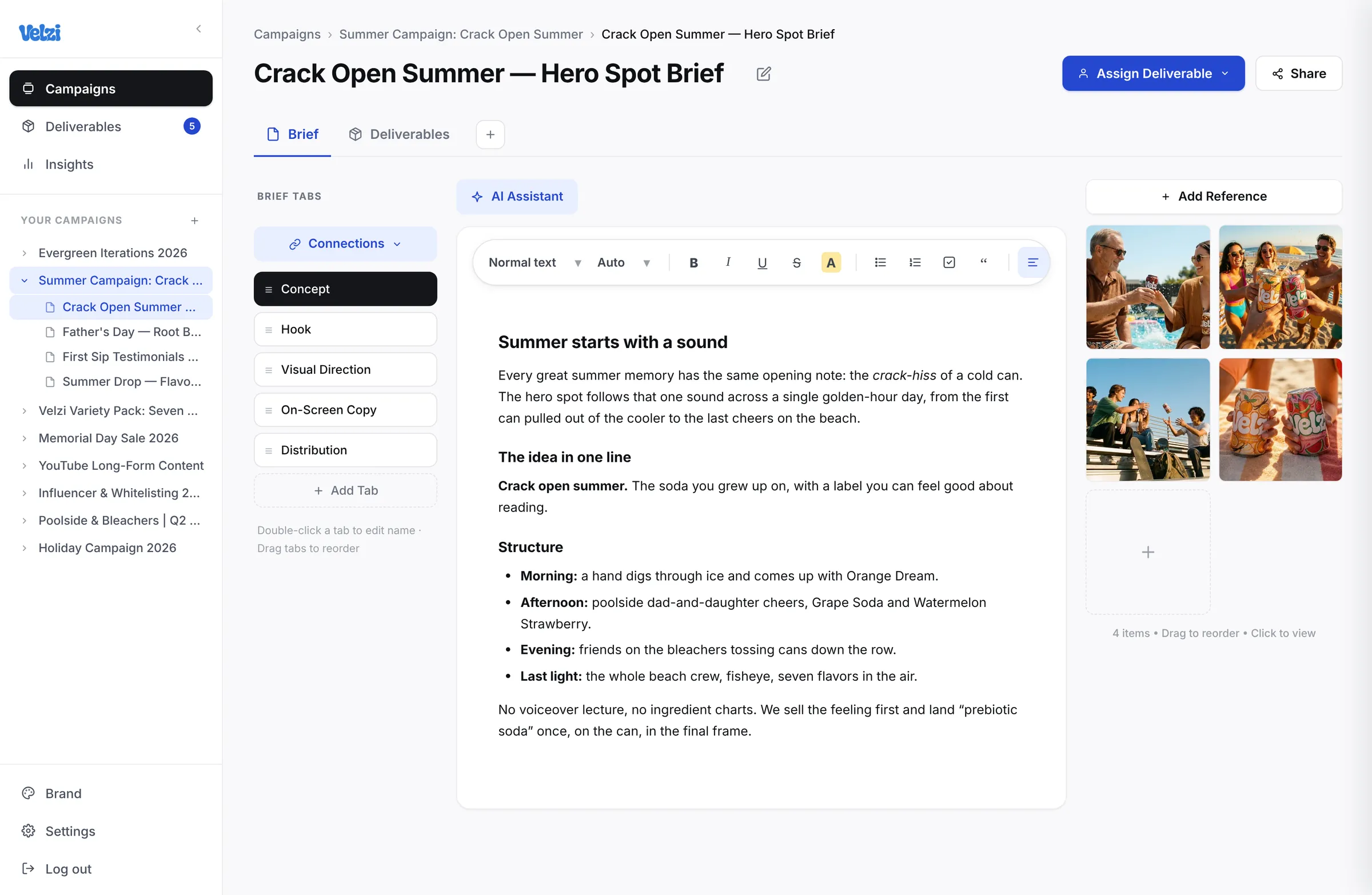
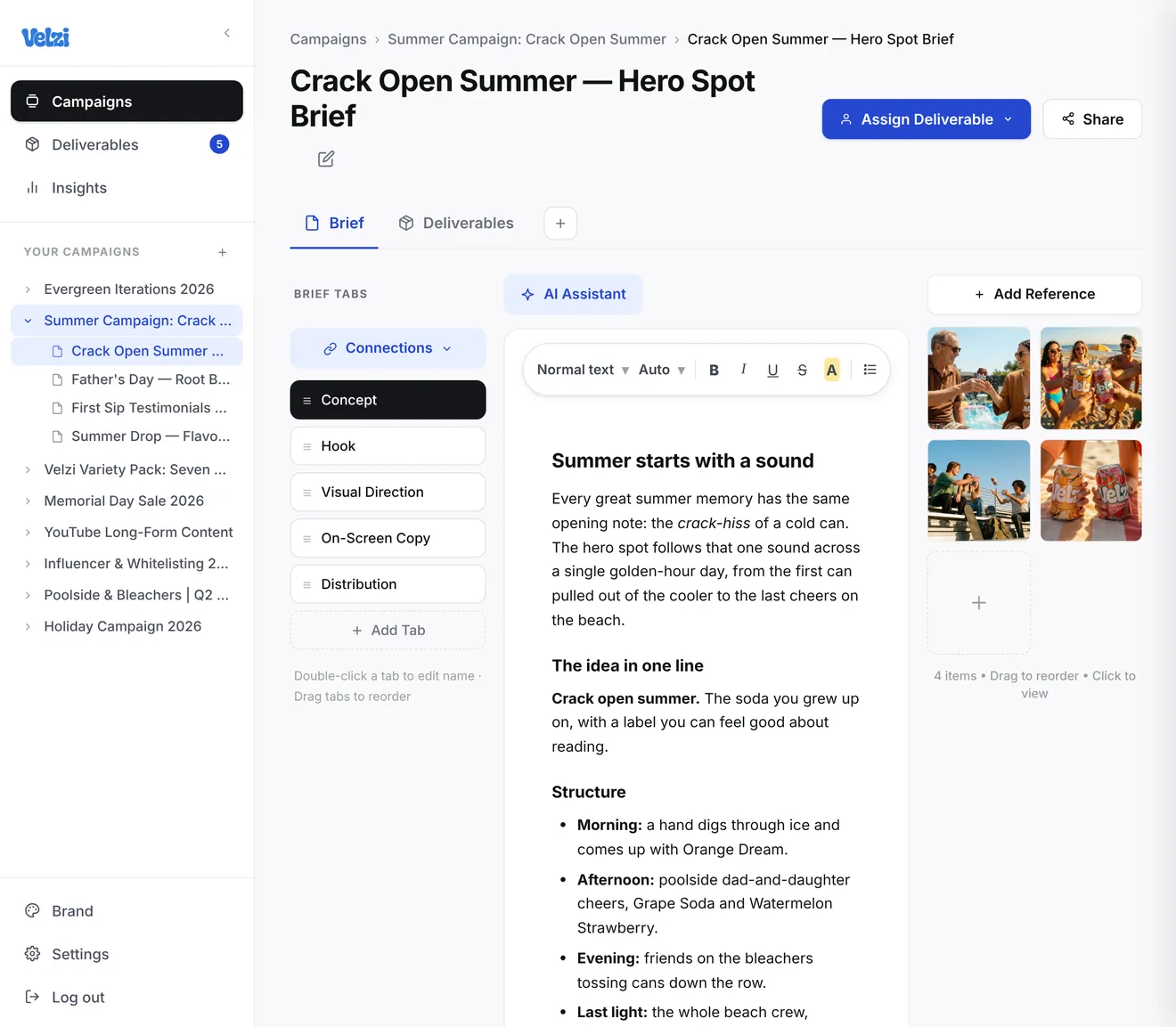
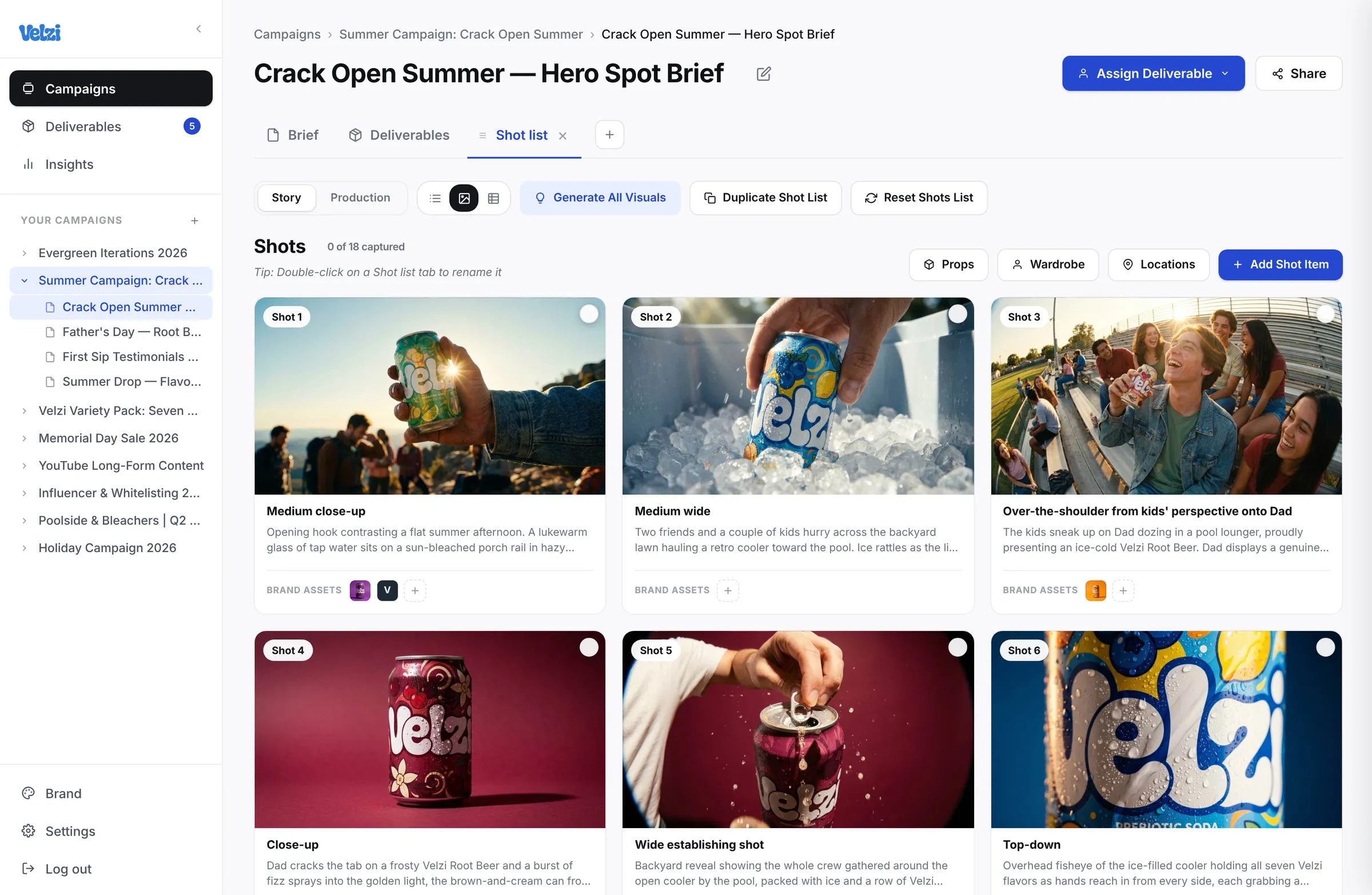
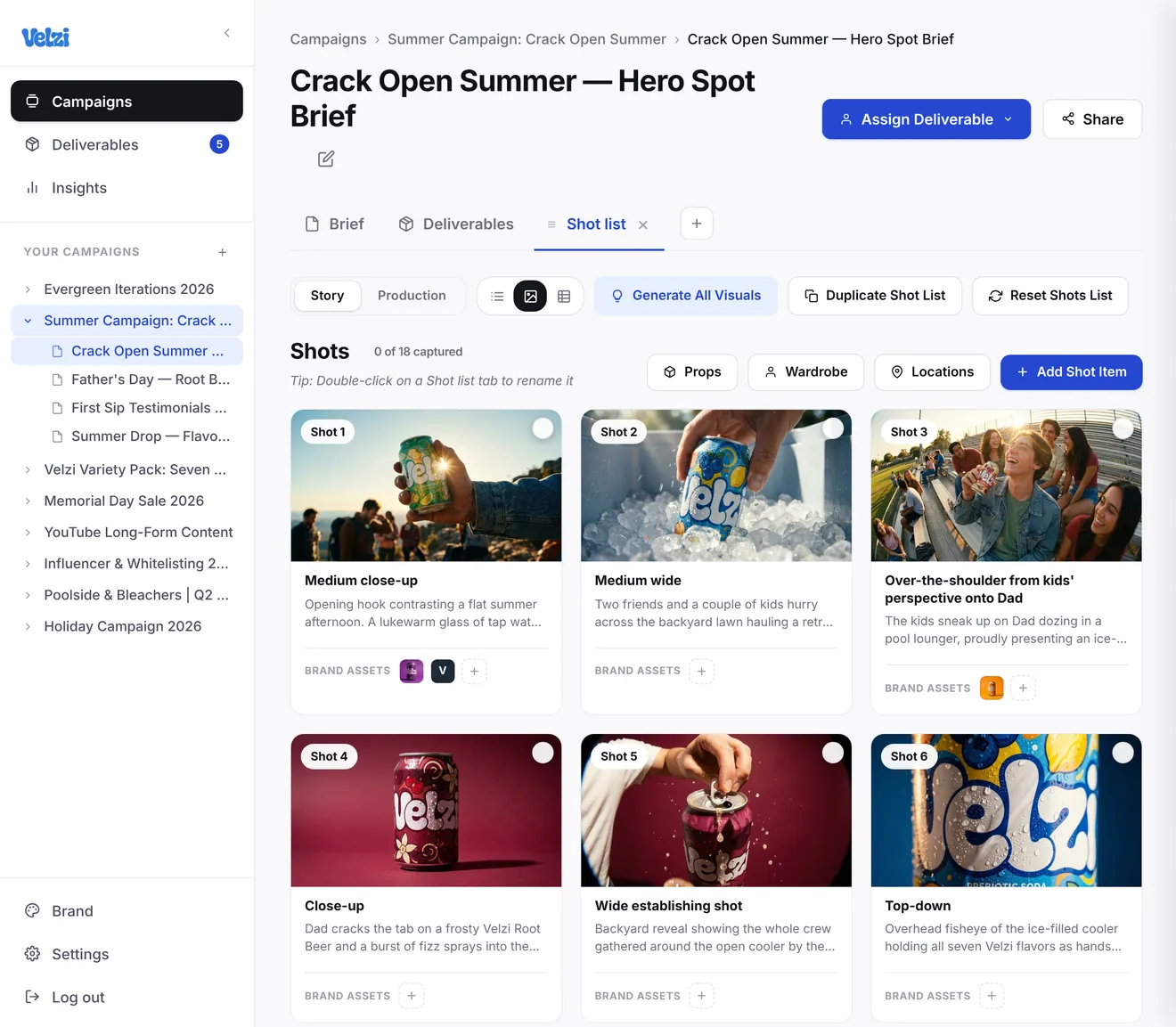
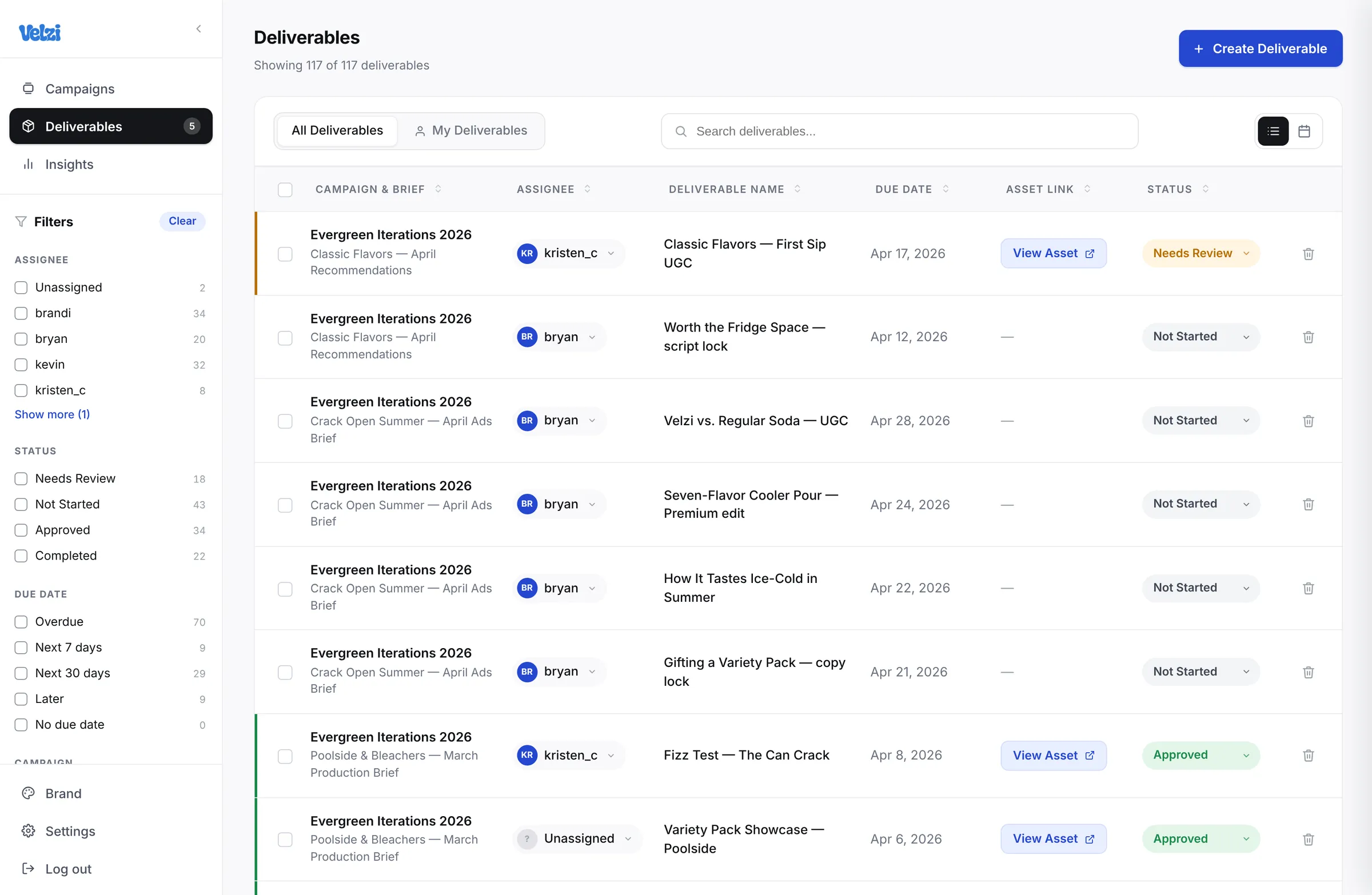
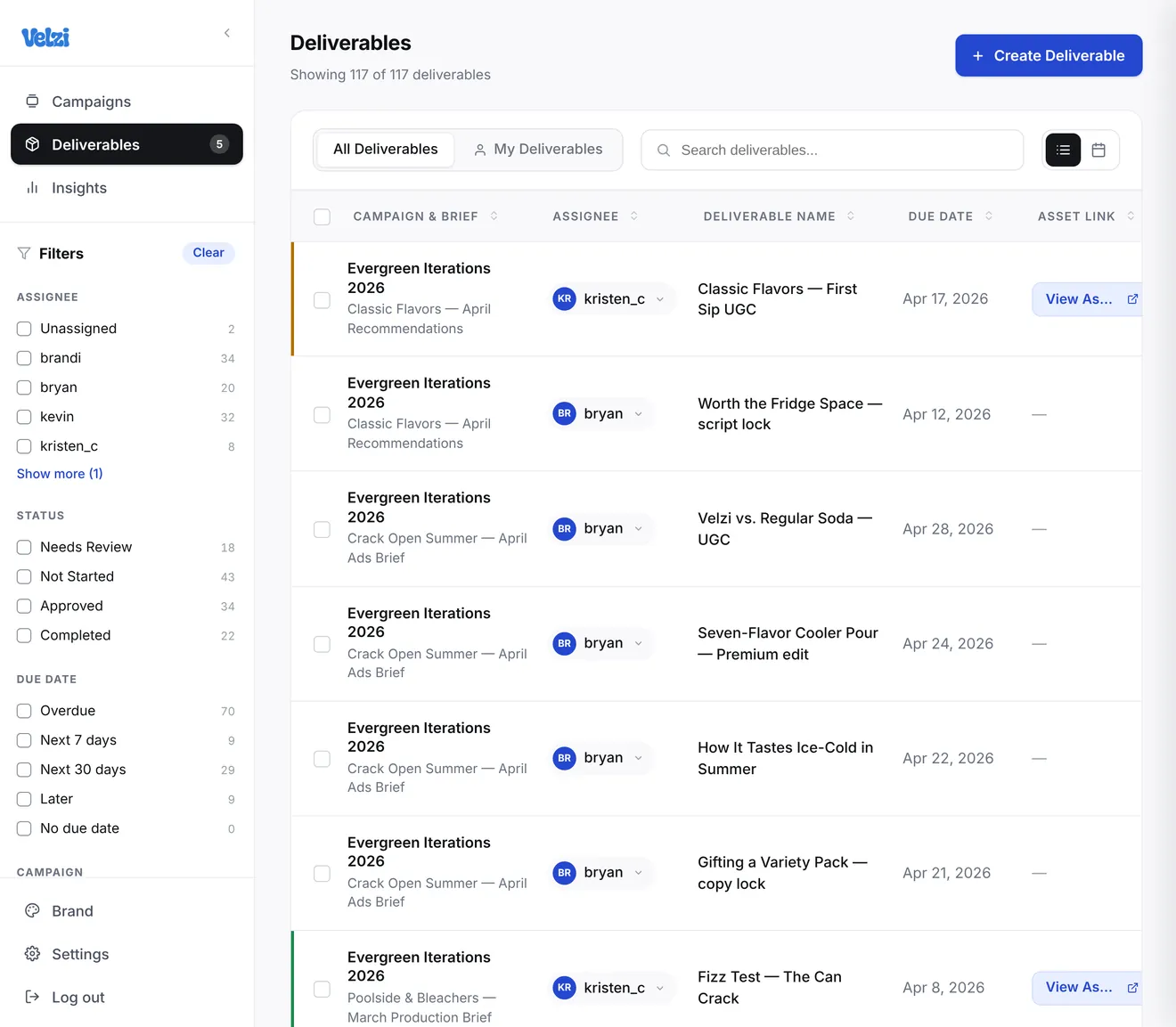
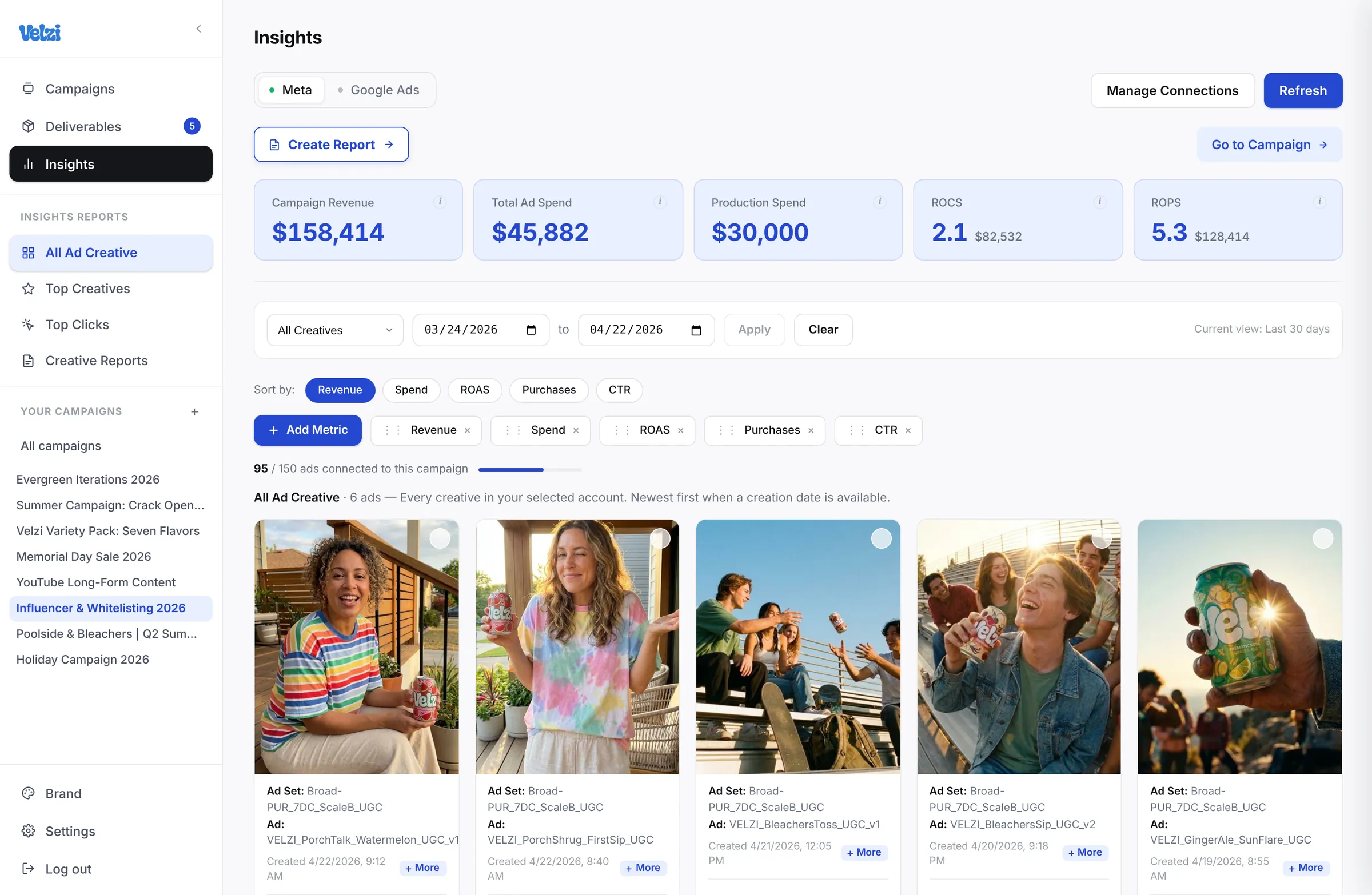
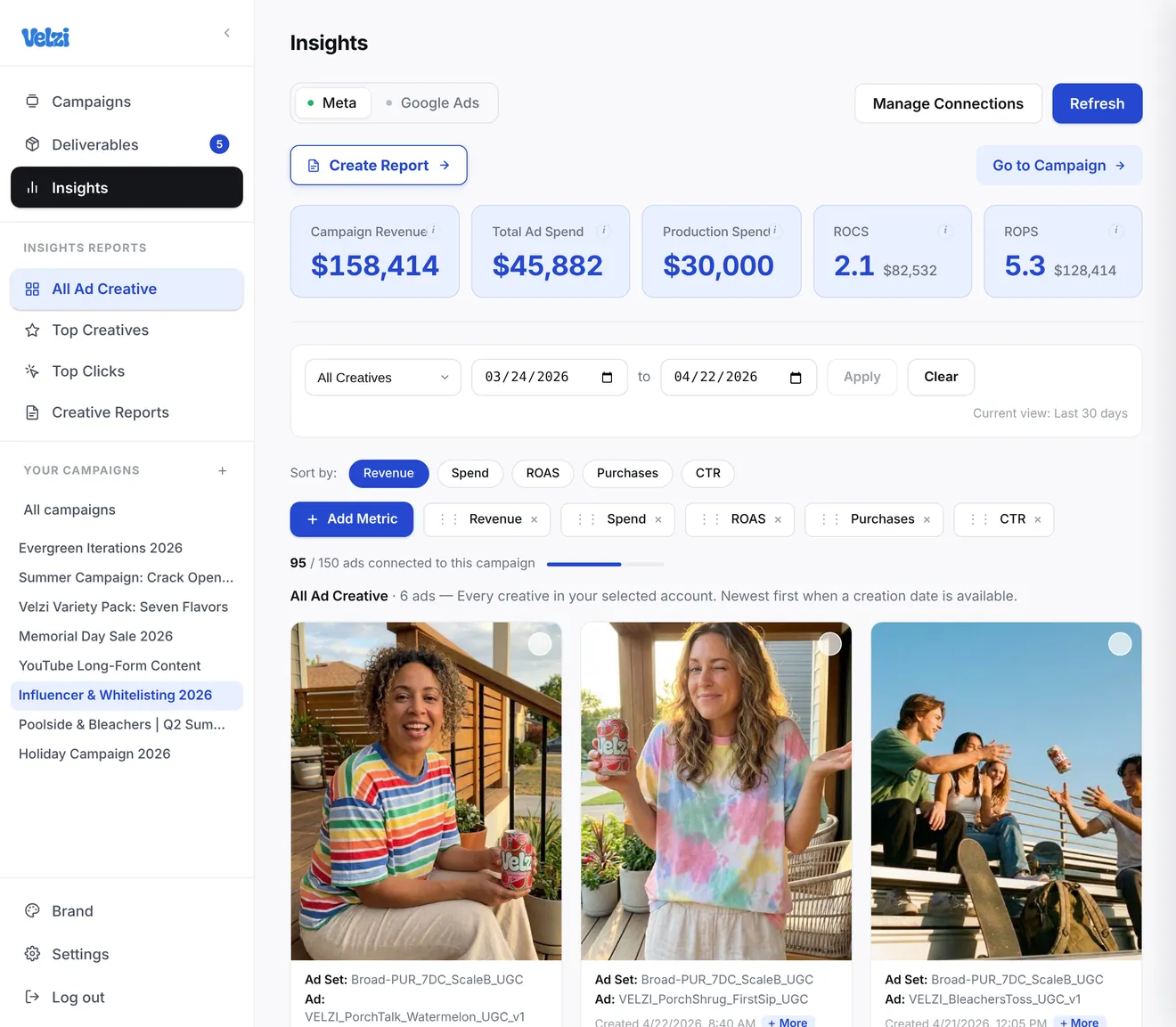
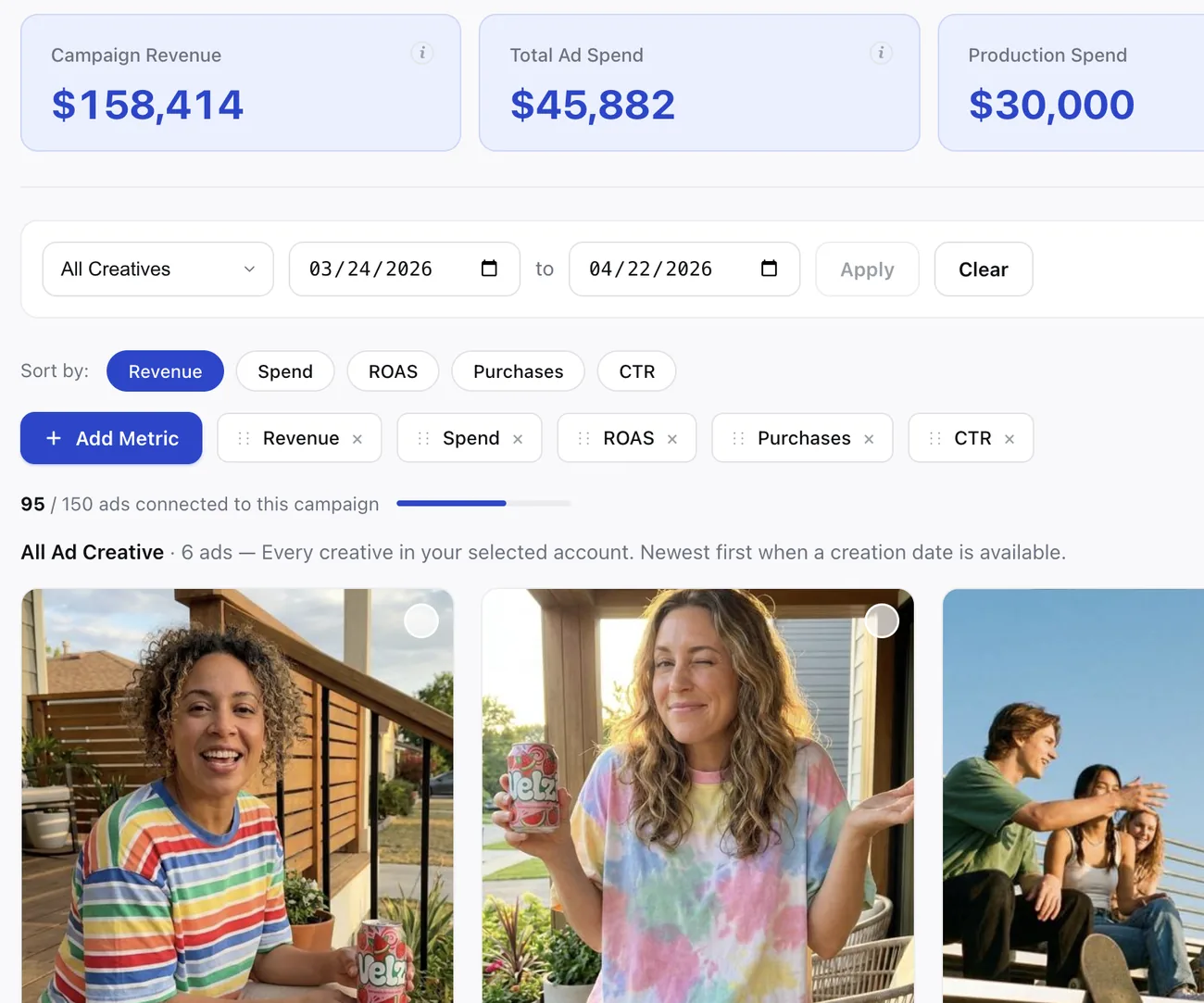
The Campaigns page of the Birdline App: a sidebar with Campaigns, Deliverables and Insights, recent briefs, and eight campaign cards with cover photos, owner and deliverable count.The Campaigns page of the Birdline App: a sidebar with Campaigns, Deliverables and Insights, recent briefs, and eight campaign cards with cover photos, owner and deliverable count.A brief in Birdline, Crack Open Summer — Hero Spot Brief: its sections in a rail on the left (Concept, Hook, Visual Direction, On-Screen Copy, Distribution), the brief’s text in the editor, and four reference stills on the right.A brief in Birdline, Crack Open Summer — Hero Spot Brief: its sections in a rail on the left (Concept, Hook, Visual Direction, On-Screen Copy, Distribution), the brief’s text in the editor, and four reference stills on the right.The Shot list tab of the same brief in gallery view: eighteen generated shots, each with a visual, its framing and a short description, with Story and Production ordering.The Shot list tab of the same brief in gallery view: eighteen generated shots, each with a visual, its framing and a short description, with Story and Production ordering.The Deliverables page of the Birdline App: filters by assignee, status, due date and campaign beside a table of deliverables with campaign and brief, assignee, name, due date, asset link and status.The Deliverables page of the Birdline App: filters by assignee, status, due date and campaign beside a table of deliverables with campaign and brief, assignee, name, due date, asset link and status.The Insights page of the Birdline App for the Influencer & Whitelisting 2026 campaign: Meta and Google Ads connections, campaign revenue, ad spend, production spend, ROCS and ROPS tiles, the metric and date filters, and a row of the campaign’s ad creatives.The Insights page of the Birdline App for the Influencer & Whitelisting 2026 campaign: Meta and Google Ads connections, campaign revenue, ad spend, production spend, ROCS and ROPS tiles, the metric and date filters, and a row of the campaign’s ad creatives.
The Loop

One Continuous Line. Three Stages.

Keep context connected across the entire campaign lifecycle, so great work doesn’t get lost after launch. It gets valued, studied, and built on.

  1. 01 · Campaign

    Brief the campaign

    Draft with your AI copilot, edit as a team, and turn concepts into clear, actionable direction.

  2. 02 · Deliverables

    Produce together

    Generate shot lists, manage deliverables, and keep every asset connected back to the original brief.

  3. 03 · Insights

    Measure & compound

    Tie every ad back to its campaign, track your return on production spend, and turn insights into your next brief.

The Product

Made for In‑House Content Teams.

Keep your workflow. Birdline connects it. From brief to production to performance, every campaign stays connected so content teams can move faster, stay aligned, and build on what’s working.

Smart Brief

Build Clear, Actionable Briefs

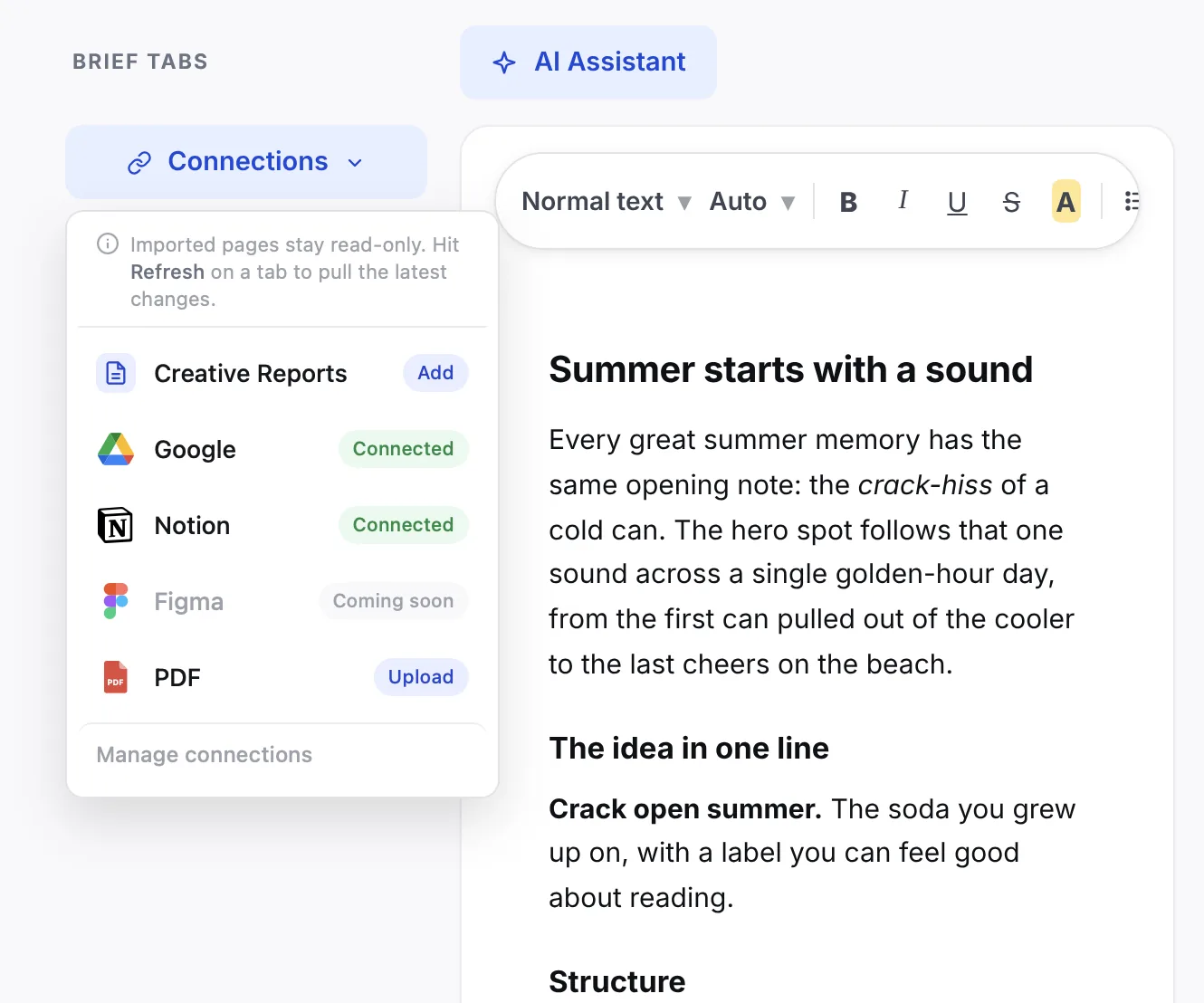
Draft with AI or sync the docs you already have, then turn the concept into direction production can run with.

  • Syncs Google Docs, Sheets, Slides, Notion, and PDFs
  • Tabs you add, rename, and reorder
  • An AI Assistant that drafts, rewrites, and fills the gaps
  • Images, video, audio, and fonts kept beside the brief
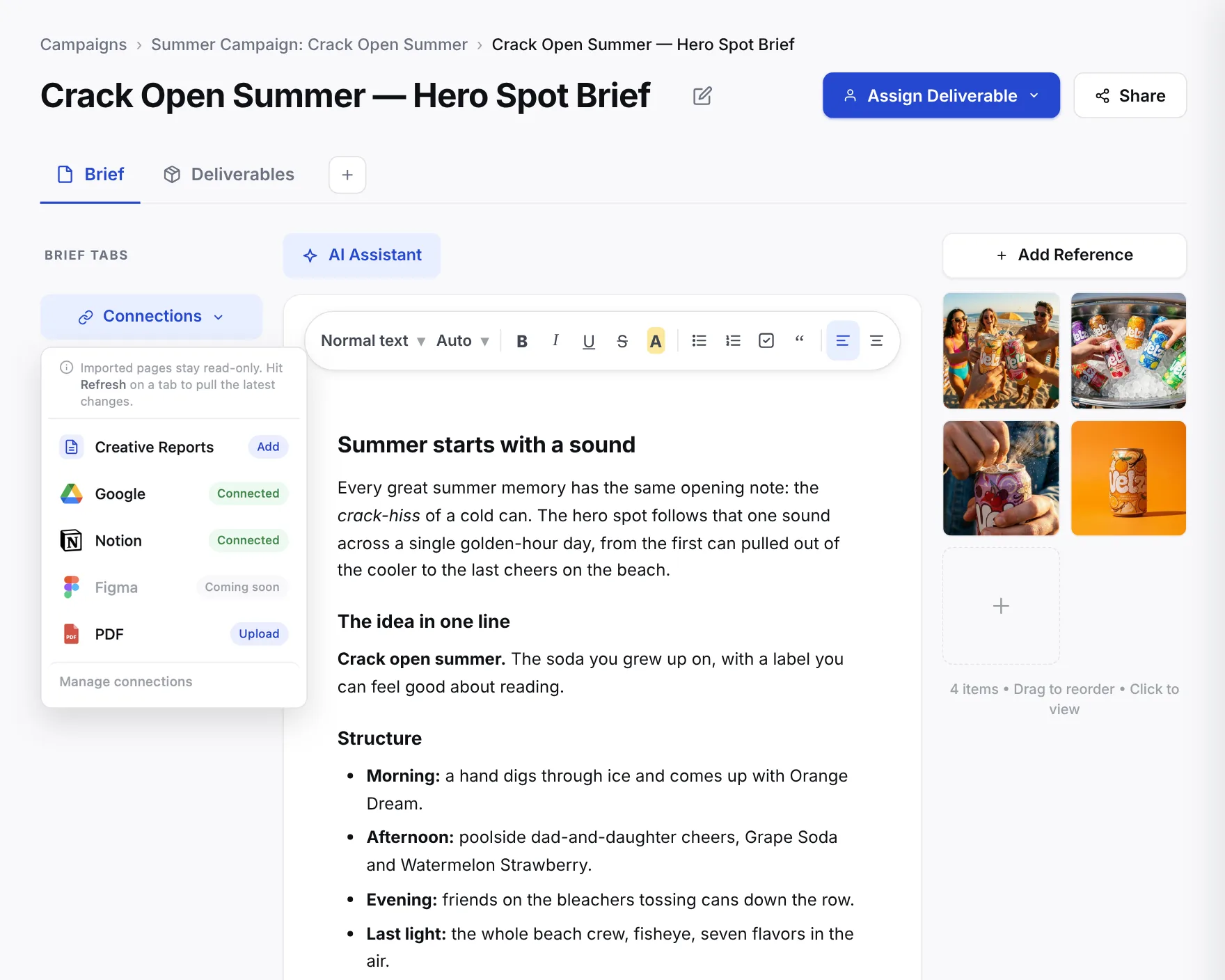
A brief in Birdline, Crack Open Summer — Hero Spot Brief, with its Connections dropdown open: Creative Reports, Google and Notion connected, Figma coming soon, and PDF upload, beside the brief’s text and reference images.A brief in Birdline, Crack Open Summer — Hero Spot Brief, with its Connections dropdown open: Creative Reports, Google and Notion connected, Figma coming soon, and PDF upload, beside the brief’s text and reference images.
Shot list

Generate Shot Lists Instantly

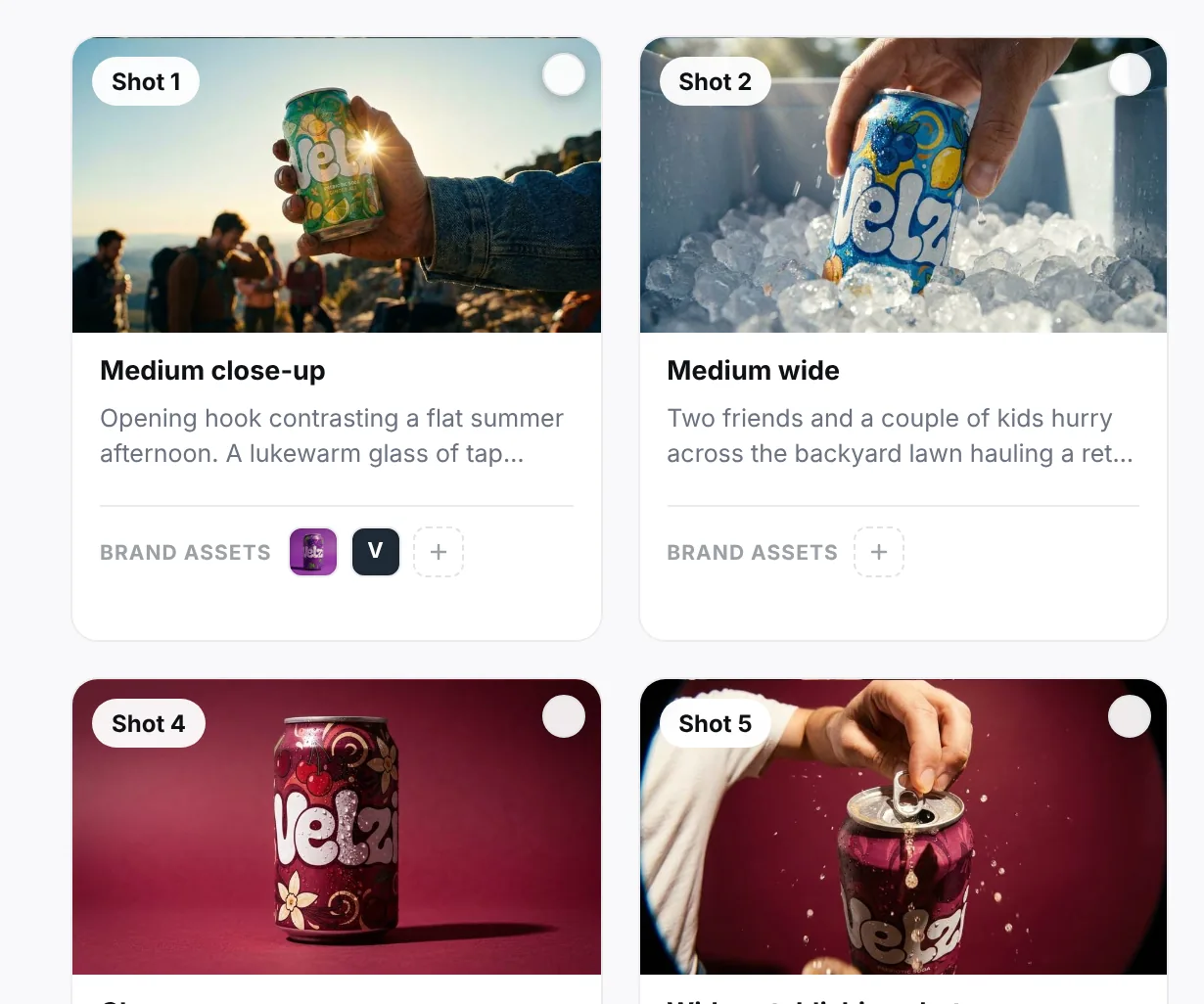
AI turns the brief into a shot-by-shot plan, with a visual for every shot.

  • Shots drafted straight from the brief
  • A visual for every shot; regenerate any one
  • Framing, lighting, wardrobe, props, and VO on each shot
  • Props, wardrobe, and locations rolled up for the shoot
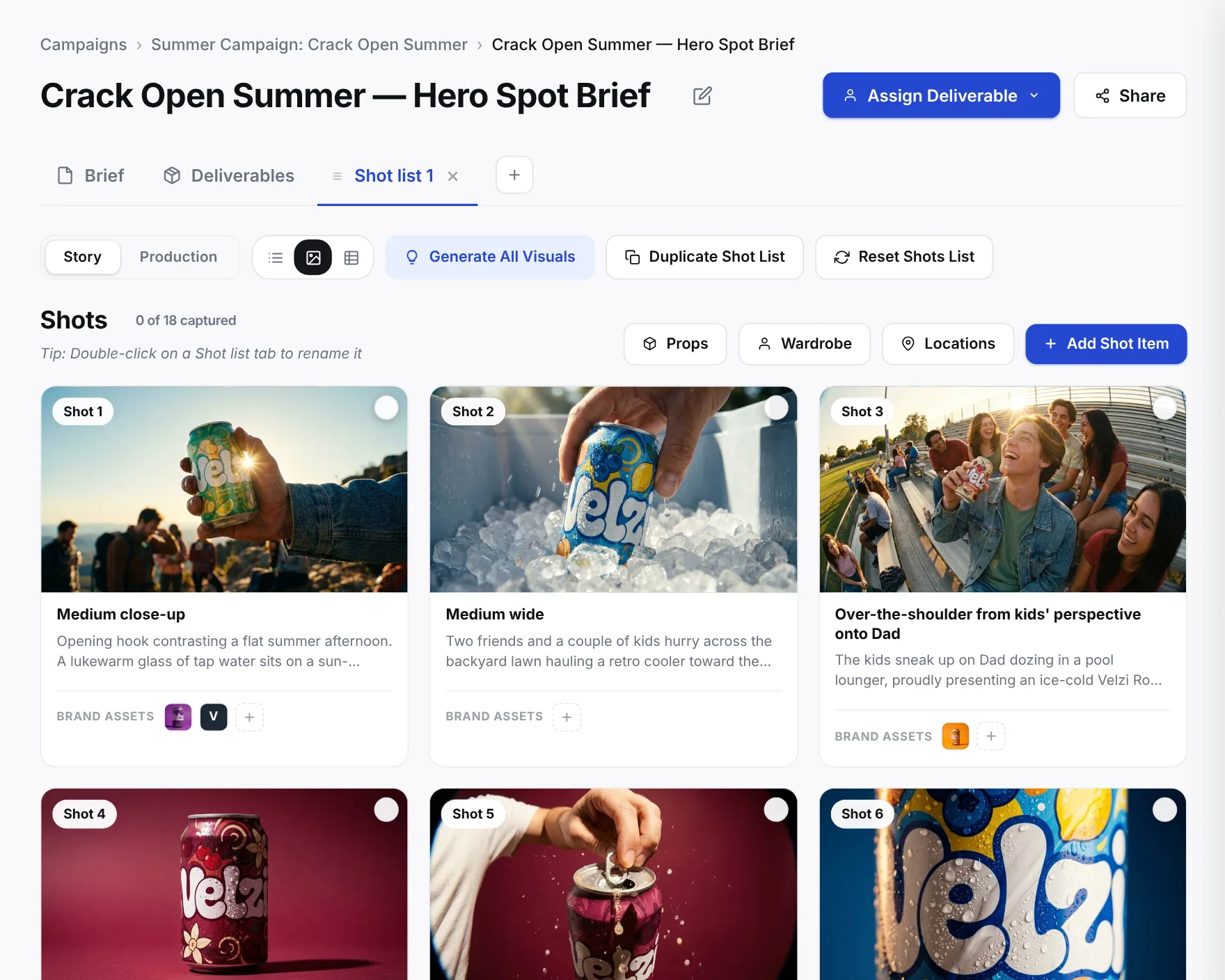
The Shot list tab of a brief in gallery view: generated shots, each with a visual, its framing and a short description, under buttons for Generate All Visuals, Props, Wardrobe and Locations.The Shot list tab of a brief in gallery view: generated shots, each with a visual, its framing and a short description, under buttons for Generate All Visuals, Props, Wardrobe and Locations.
Deliverables

Track All of Your Creative

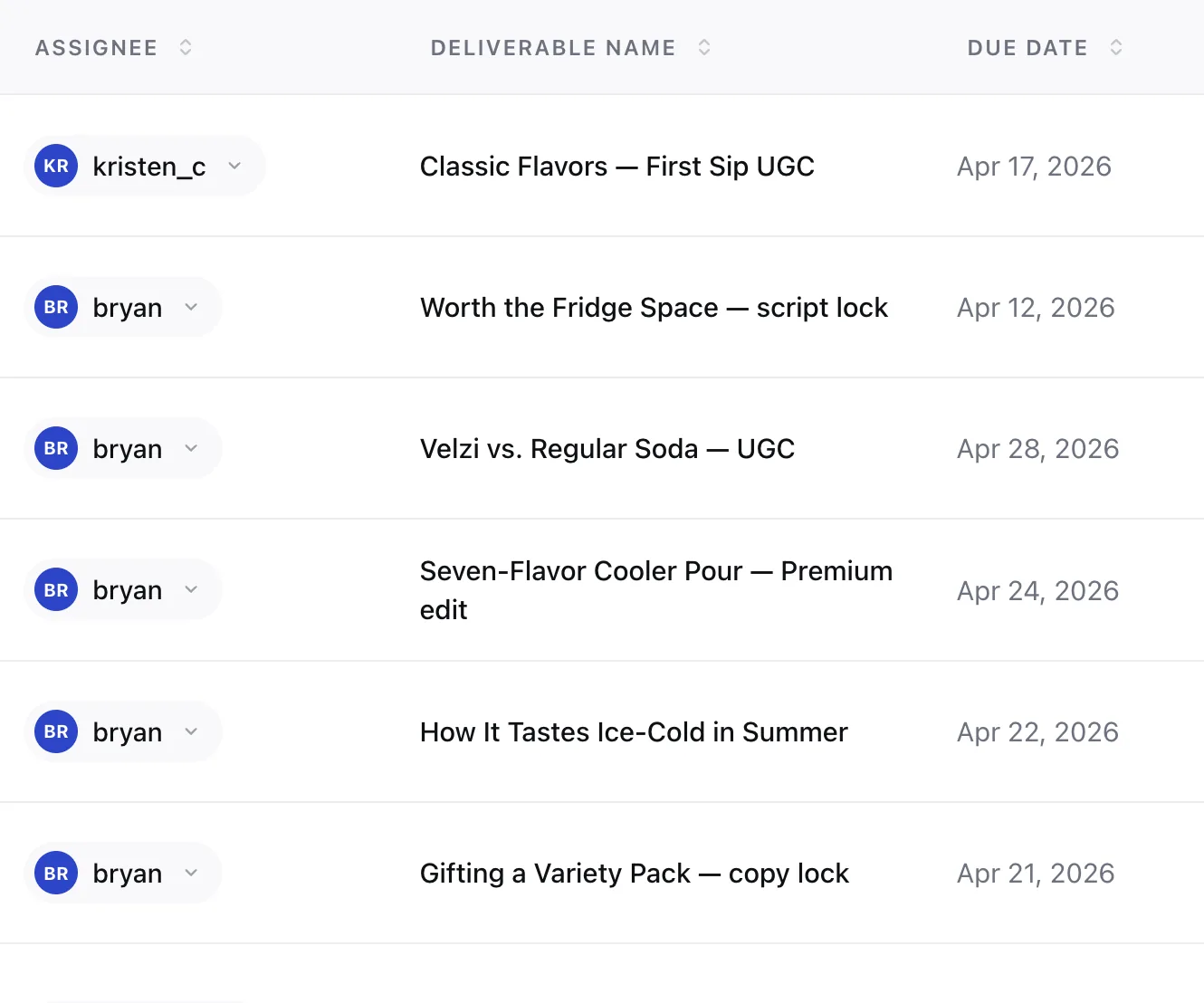
Every deliverable with its owner, due date, and status, tied back to the brief it came from.

  • Owner, due date, channel, type, and sizes
  • Status from Not Started to Launched
  • List or calendar; everything or just yours
  • Share by invite, by email, or with a read-only link
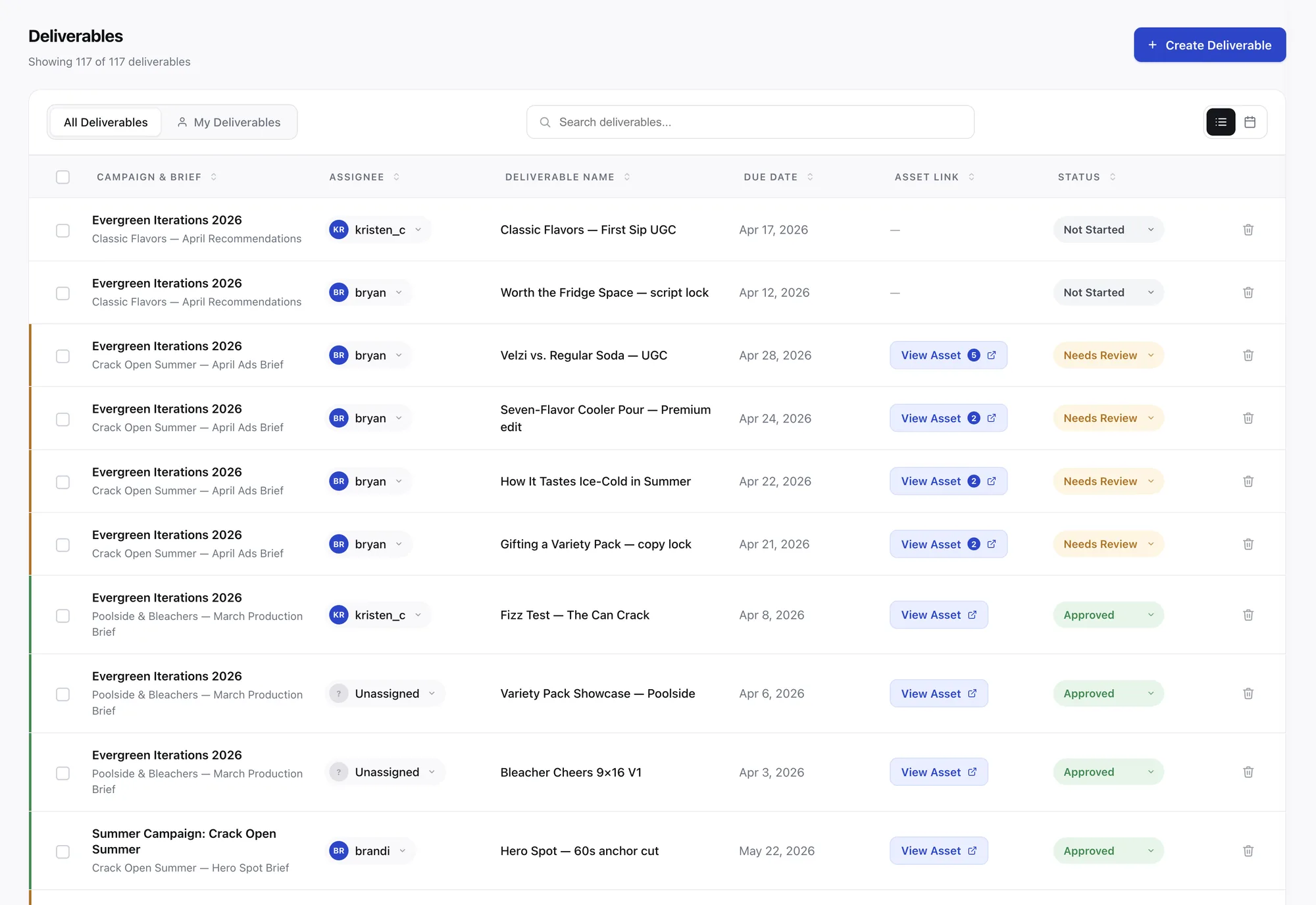
The Deliverables page in Birdline: a table of deliverables with campaign and brief, assignee, name, due date, asset link and status, above a switch between all and my deliverables and a list or calendar view.The Deliverables page in Birdline: a table of deliverables with campaign and brief, assignee, name, due date, asset link and status, above a switch between all and my deliverables and a list or calendar view.
Insights

Turn Insights Into Your Next Brief

Connect your ads, see what each campaign earned, and brief the next one from the results.

  • Connect Meta and assign each ad to its campaign
  • ROPS™ and ROCS™ on every campaign
  • A Creative Report of what worked, ready to send
  • Generate New Brief starts the next one from the report
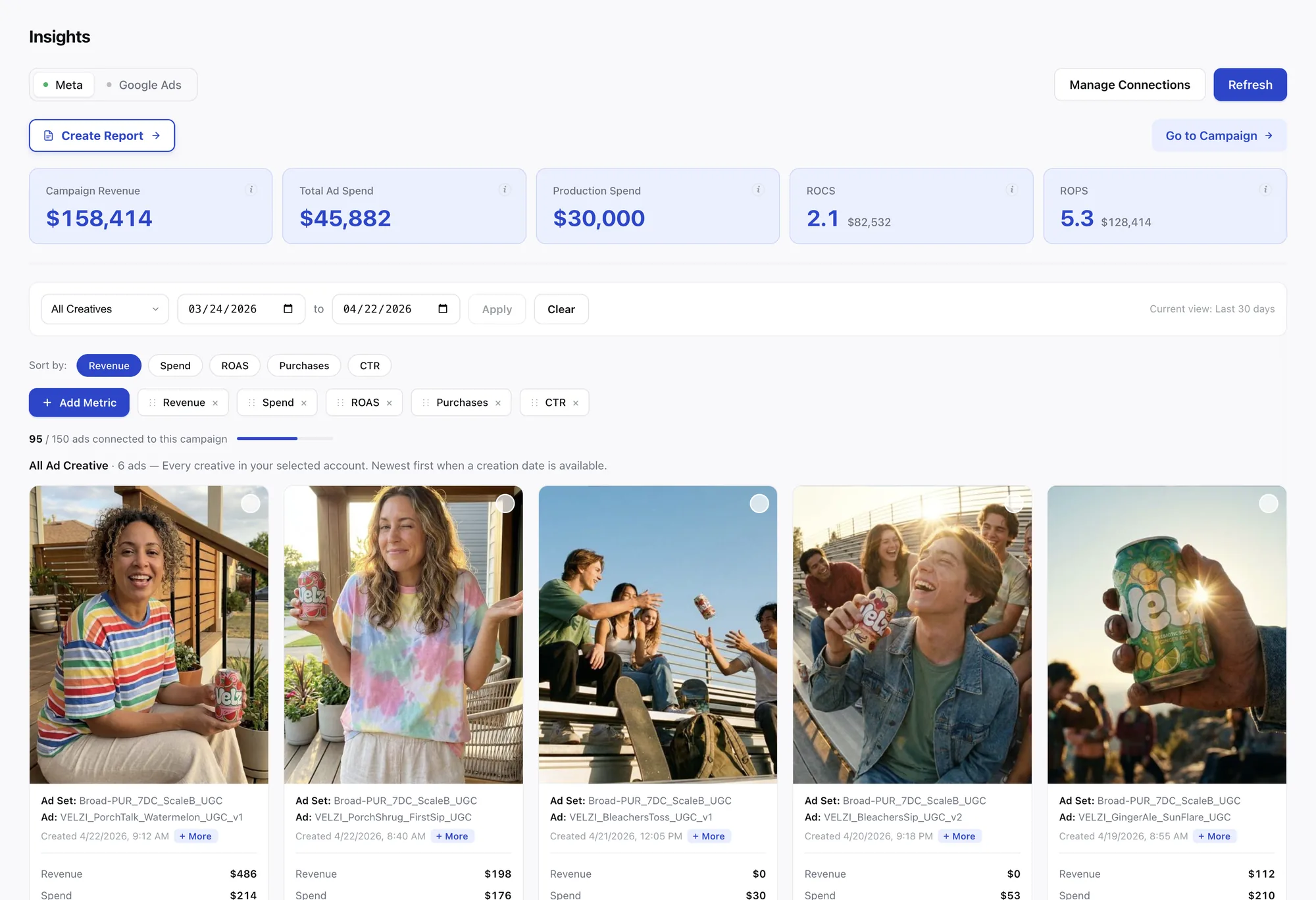
The Insights page in Birdline with Meta selected: tiles for Campaign Revenue, Total Ad Spend, Production Spend, ROCS and ROPS, above the ad creatives with each ad’s revenue and spend.The Insights page in Birdline with Meta selected: tiles for Campaign Revenue, Total Ad Spend, Production Spend, ROCS and ROPS, above the ad creatives with each ad’s revenue and spend.

Product screens show sample data from a demo workspace.

Also in the workspace

And Everything Around It.

  • CampaignsOne home per initiative: its briefs, overview, tasks, and budget.
  • Line-item budgetPre-production, production, and post per brief: the spend behind ROPS™.
  • Brand libraryLogos and products that keep shot lists and visuals on-brand.
  • Team & rolesOwner, Admin, and Member seats, with tasks assigned by name.
  • SharingInvite teammates, or send a read-only link that expires in 30 days.
  • SlackPost a brief to a channel and get task updates where your team works.

Connects with

  • Google Docs
  • Google Sheets
  • Google Slides
  • Notion
  • Meta
  • Google Ads
  • Slack
  • PDF
ROCS™ & ROPS™ calculator

Don’t Measure ROAS in a Vacuum. Measure What Production Earned.

Within the Birdline App, we measure ROPS™ (Return on Production Spend) and ROCS™ (Return on Campaign Spend) to understand what’s working, get more value from past shoots, and plan what to create next.

Plug in your campaign numbers to see how it works:

Your ROCS™3.82×$210,000 on $55,000
Your ROPS™14.0×$210,000 on $15,000

Outperformer — productions like this should scale.

Monthly Partnership

Want the Birds In It Too?

Every Monthly Partnership runs through the same workspace: our requests land in your Deliverables with the same owner, due date, and review status, and every shoot’s spend shows up in Insights.

FAQ

Questions About the App.

What is Birdline?
Birdline combines a premium creative studio with an AI-native production workspace. Our Monthly Partnership includes a dedicated creative team, unlimited editing and design deliverables, and the workspace to connect briefs, content, and performance insights. The workspace is also available independently for brands working with their own teams and creative partners.
Do I have to use the studio to use the app?
No. The Birdline App works on its own for any team. The Monthly Partnership adds our creative team to it.
Do I have to move my docs out of Google or Notion?
No. Your files stay where they are. Birdline pulls in the live details, then adds what a doc can't hold: deliverables with assignees and status, a line-item budget, and a generated shot list.
Which ad platforms can I connect?
Meta and Google Ads today. TikTok and LinkedIn are on our roadmap.
What are ROPS™ and ROCS™?
ROPS™ (return on production spend) is campaign revenue divided by what the production cost. ROCS™ (return on campaign spend) divides the same revenue by production and ad spend together. The line-item budget in your brief supplies the costs; the ads you connect in Insights supply the revenue.
How do we start?
Book a call. We'll assess the creative content you need, scope the right package, and set up your workspace with your first campaign. Onboarding is simple and fast, so we can get started within a week and begin executing right away. If you only want the app, start the free trial and bring the campaign you're working on now.
Get started

Build Winning Campaigns with a Bird’s-Eye View

Bring the campaign you’re working on now. Start free for 30 days, no credit card required.

Book a call

Let’s Scale Your Content Library.